

Description
Download One Chat All‑in‑One Messenger – Unified Messaging, Free & Secure
Overview – One Chat All‑in‑One Messenger
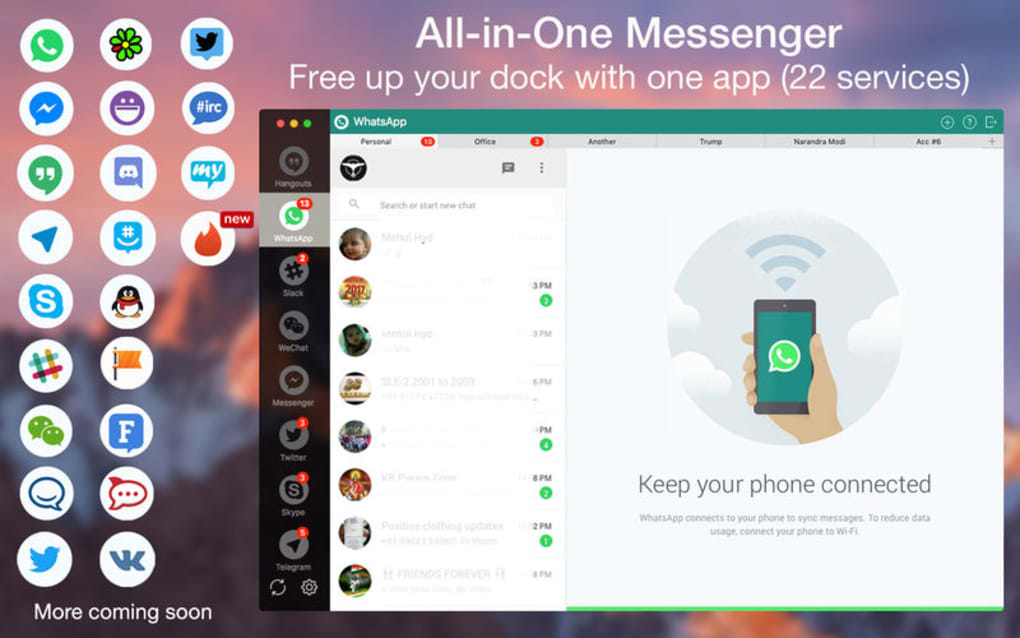
One Chat All‑in‑One Messenger is a universal chat hub that brings together the most popular social media and collaboration platforms under a single, streamlined interface. Whether you spend hours on Facebook, Twitter, Discord, HipChat, or emerging messaging services, One Chat lets you read, reply, and manage conversations without hopping between apps. The software is designed for both personal users and small‑team environments that need a cohesive communication workflow.
The application runs as a desktop client on Windows, macOS, and Linux, and it also offers mobile companions for Android and iOS. By consolidating notifications, the tool reduces distraction and helps you stay focused on what matters. Security is baked in: all connections use end‑to‑end encryption, and the app never stores your passwords in plain text. Updates are delivered automatically, ensuring you always have the latest features and security patches without manual intervention.
Beyond basic messaging, One Chat includes handy utilities such as a built‑in media viewer, quick‑reply templates, and a searchable archive that indexes messages across all linked accounts. The UI follows a modern dark‑mode aesthetic but can be toggled to a light theme for better visibility in bright environments. For power users, custom keyboard shortcuts and a widget‑style sidebar allow rapid navigation between channels.
Overall, One Chat positions itself as the “Swiss army knife” of chat software: a free, secure, and constantly updated solution that eliminates the need for multiple tabs or devices. It’s especially valuable for people who juggle several social networks daily and want a single point of entry to stay connected.
Key Features of One Chat All‑in‑One Messenger
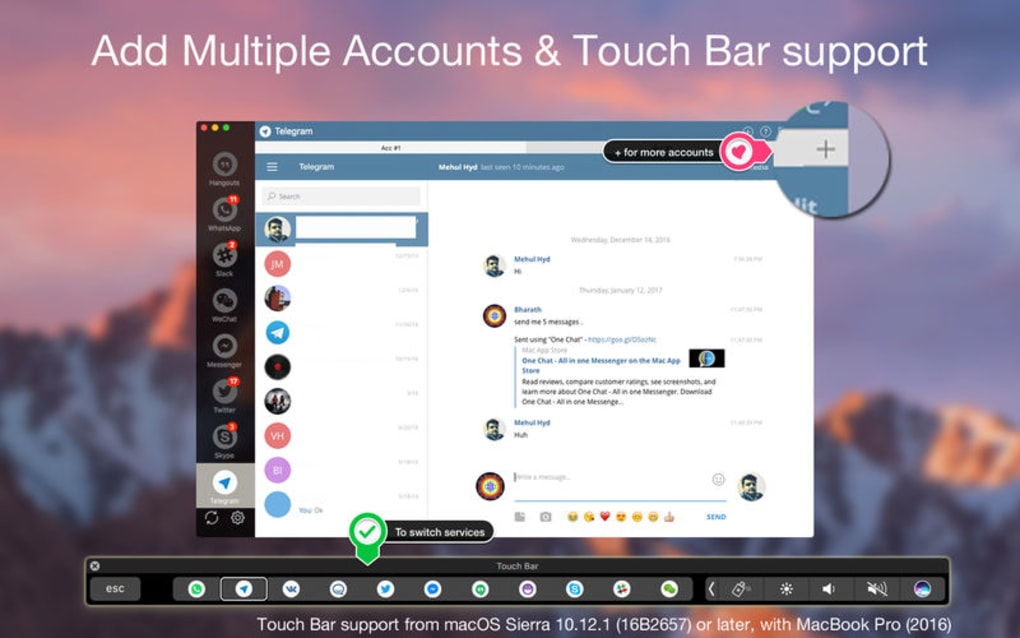
- Unified Inbox: Aggregate messages from Facebook Messenger, Twitter DMs, Discord servers, HipChat rooms, and more into one searchable feed.
- Cross‑Platform Sync: Seamlessly switch between Windows, macOS, Linux, Android, and iOS while keeping your chat history synchronized.
- End‑to‑End Encryption: All data transfers are encrypted, guaranteeing privacy for personal and professional conversations.
- Customizable UI: Dark and light themes, adjustable fonts, and draggable panels let you tailor the workspace to your preferences.
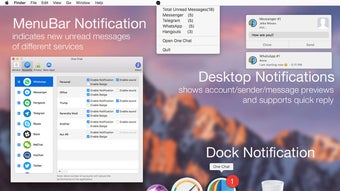
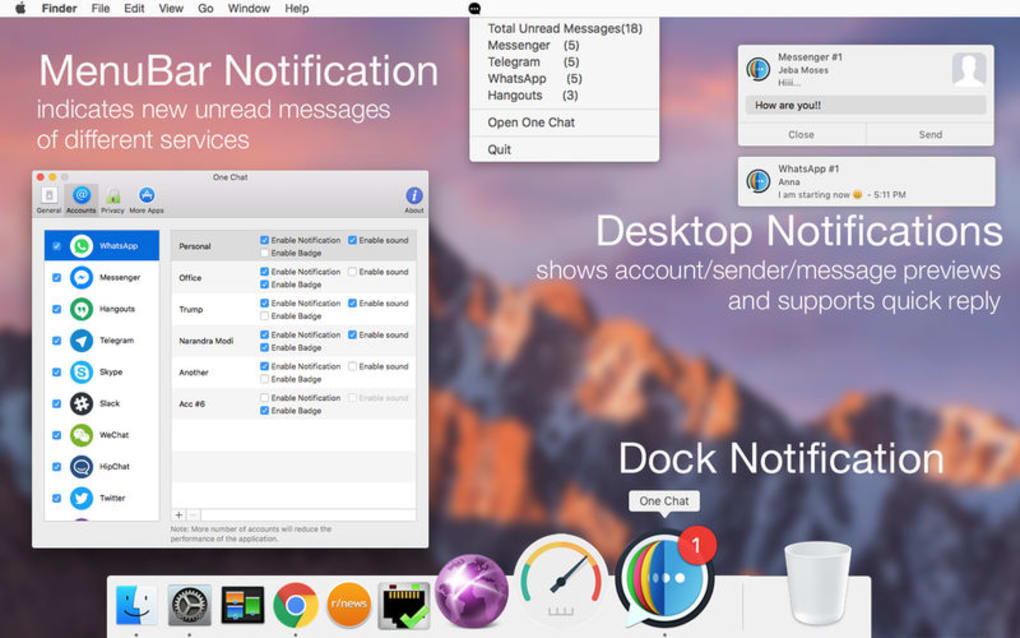
- Smart Notifications: Prioritize alerts by channel, mute noisy groups, and receive summarized digests to avoid notification fatigue.
- Quick‑Reply Templates: Save frequently used responses and insert them with a single click to speed up repetitive chats.
- Media Management: View images, videos, and documents directly within the app, with options to download or share to other platforms.
- Searchable Archive: Powerful keyword search spans all linked accounts, making it easy to retrieve old conversations.
- Keyboard Shortcuts & Widgets: Navigate channels, launch new chats, or toggle themes without leaving the keyboard.
- Automatic Updates: Background update service ensures you always run the latest stable version without manual downloads.
These features collectively aim to replace a cluttered collection of separate messenger apps with a single, cohesive workspace. The emphasis on security, customization, and cross‑platform continuity makes One Chat a compelling choice for both casual users and small business teams seeking an integrated communication solution.
Installation, Usage & Compatibility
Getting started with One Chat is straightforward. Visit the official website, click the “Download” button, and select the installer that matches your operating system. For Windows users, a .exe file is provided; macOS users receive a .dmg bundle, while Linux enthusiasts can download a .deb or .rpm package. Mobile versions are available on the Google Play Store and Apple App Store.
After launching the installer, follow the on‑screen prompts to accept the license agreement and choose an installation directory. The process typically completes within two minutes. Upon first run, you’ll be guided through a wizard that asks you to connect the social platforms you wish to integrate. Authentication is handled via OAuth, meaning you never share your password directly with One Chat. Once linked, the app begins syncing messages in the background.
Using the application is intuitive: the left sidebar displays a list of connected services, each expandable into individual chats or groups. Clicking a conversation opens the chat window, where you can type, attach files, or use pre‑saved quick‑reply templates. The top search bar allows instant lookup across all accounts, and a settings gear lets you fine‑tune notifications, theme, and privacy options.
One Chat supports Windows 10/11, macOS 10.15 or later, major Linux distributions, Android 6.0+, and iOS 13+. System requirements are modest: 2 GB RAM, 200 MB of free disk space, and a stable internet connection for real‑time syncing. The app is optimized for both low‑end laptops and high‑resolution 4K monitors, adjusting UI scaling automatically.
Overall, installation is frictionless, and the usage flow mirrors that of native messenger apps, reducing the learning curve. Compatibility across desktop and mobile platforms ensures you stay connected wherever you are, without sacrificing performance or security.
Pros, Cons, FAQ & Final Verdict
Pros
- All major messaging services in one place – saves time and reduces desktop clutter.
- End‑to‑end encryption keeps conversations private.
- Cross‑platform support ensures seamless sync between devices.
- Highly customizable UI with dark/light mode and keyboard shortcuts.
- Free core version with optional premium add‑ons for advanced analytics.
Cons
- Initial setup requires linking multiple accounts, which can be time‑consuming.
- Some niche messaging apps (e.g., Telegram) are not yet supported.
- Desktop client may consume more RAM than single‑purpose messengers on low‑end PCs.
Frequently Asked Questions
Is One Chat free or does it require a subscription?
The core application is free to download and use. Premium features such as advanced analytics, priority support, and extra storage are offered via a monthly subscription.
Can I use One Chat without an internet connection?
One Chat works offline for reading previously cached messages, but sending or receiving new messages requires an active internet connection.
How does One Chat handle my login credentials?
All logins are processed through the official OAuth flow of each service. One Chat never stores passwords; it only retains access tokens that can be revoked at any time.
Is there a limit to the number of accounts I can link?
There is no hard limit. You can connect as many supported accounts as you need, though each additional account may increase sync load and memory usage.
Does One Chat support group video calls?
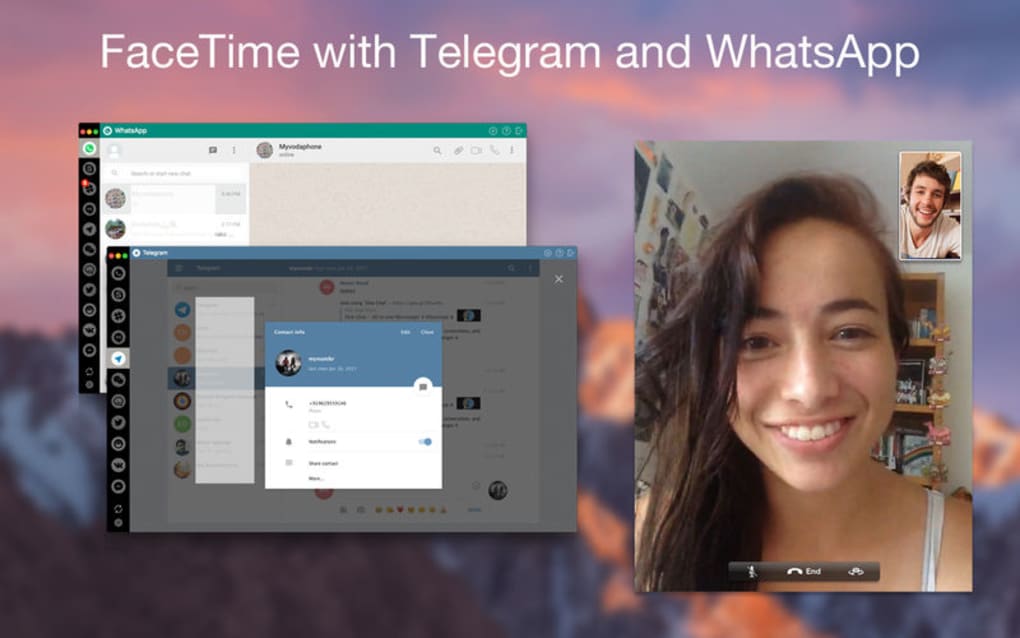
Group video calls are not native to One Chat; however, the app can launch the native video interface of linked platforms (e.g., Discord or Facebook) with a single click.
Final Verdict
One Chat All‑in‑One Messenger delivers on its promise of unifying disparate chat services into a single, secure hub. The free version already offers a robust set of features that meet the needs of most users, while the optional premium tier adds valuable extras for power users. Minor drawbacks such as the initial account‑linking effort and the absence of a few niche services are outweighed by the time saved and the streamlined workflow.
If you’re tired of juggling multiple messenger windows, or if you manage a small team that relies on several communication platforms, One Chat is a practical, cost‑effective solution. Download it today, set up your accounts, and experience the convenience of having every conversation at your fingertips.
Guides & Tutorials for One Chat All in One Messenger
How to install One Chat All in One Messenger
- Click the Preview / Download button above.
- Once redirected, accept the terms and click Install.
- Wait for the One Chat All in One Messenger download to finish on your device.
How to use One Chat All in One Messenger
This software is primarily used for its core features described above. Open the app after installation to explore its capabilities.
User Reviews for One Chat All in One Messenger 0
No reviews found





.webp)